Longhorn UI · Developed by us
Choose how many NVMe-TCP I/O queues a v2 volume uses
A v2 volume opens one I/O queue per CPU core by default, and each queue costs memory on the storage node. Longhorn can now set the count per volume, so we added the field to Create Volume and show the value in the volume details.
What changes for the user
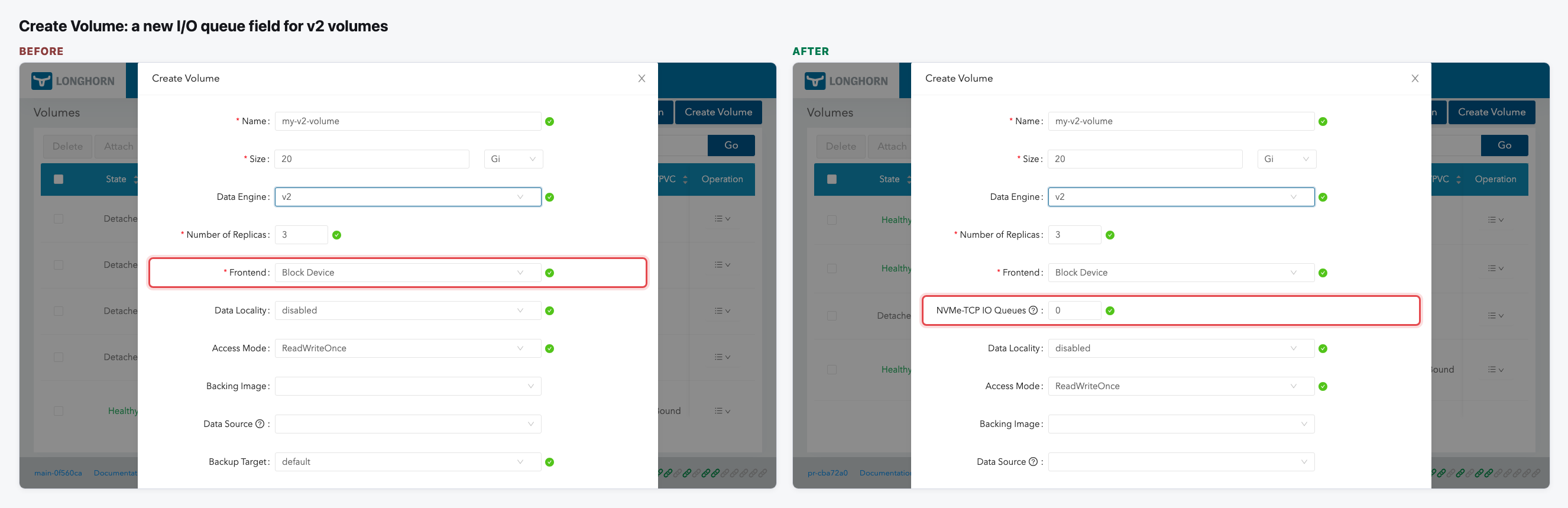
- Create Volume has a new NVMe-TCP IO Queues field right under Frontend. It only appears for v2 volumes that use the Block Device frontend.
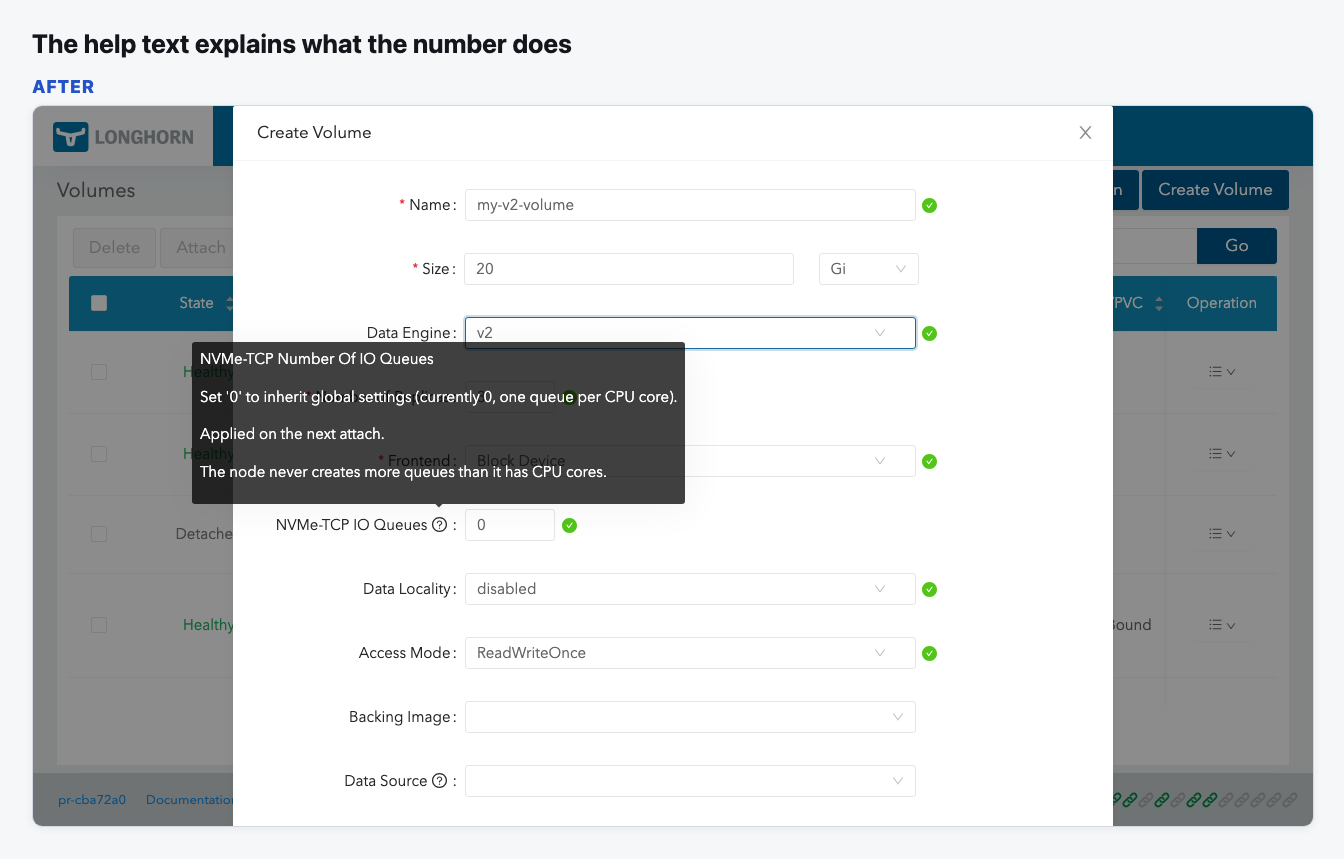
- The default is 0, which means "use the global setting". The help icon shows the current global value and says that the value applies on the next attach.
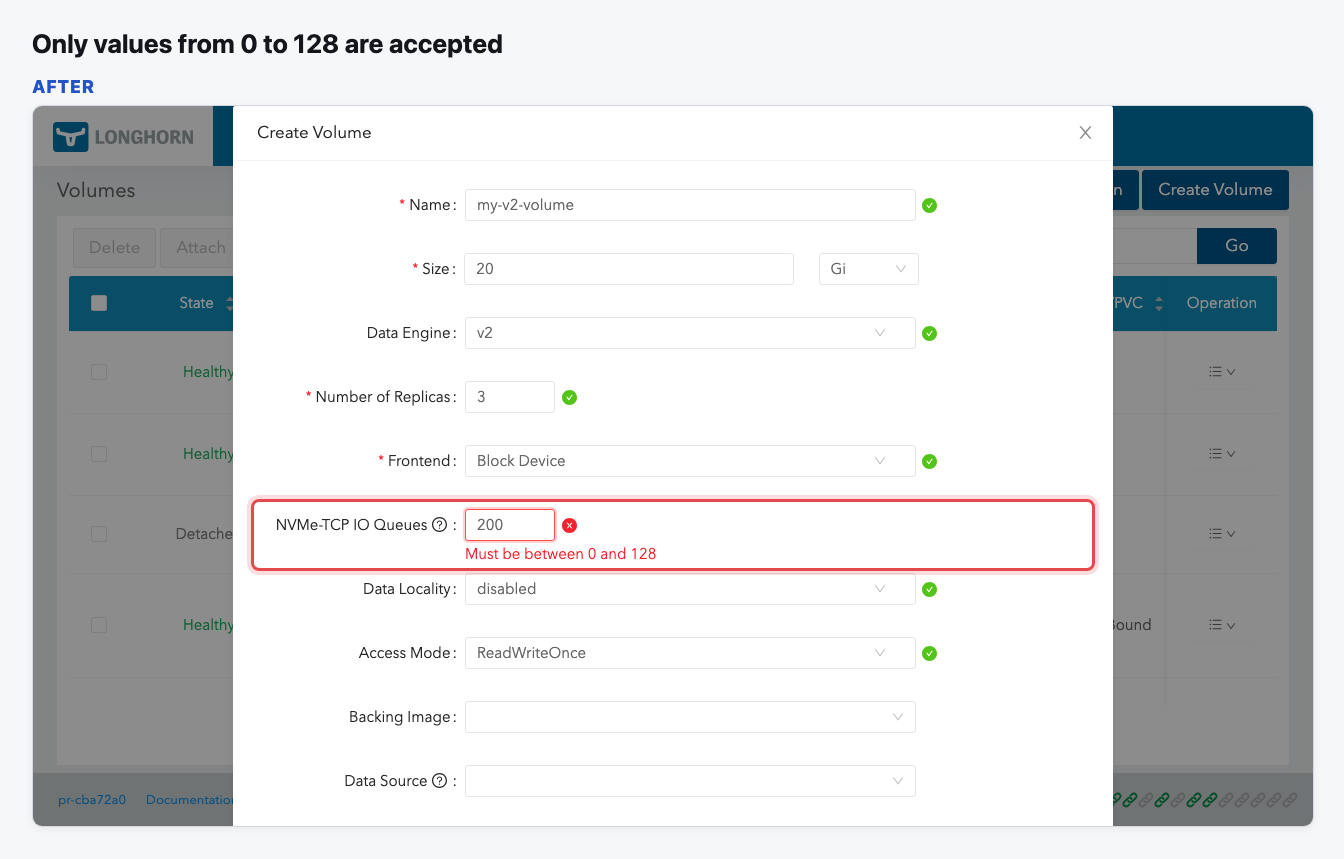
- Only 0 to 128 is accepted. Anything else shows an error.
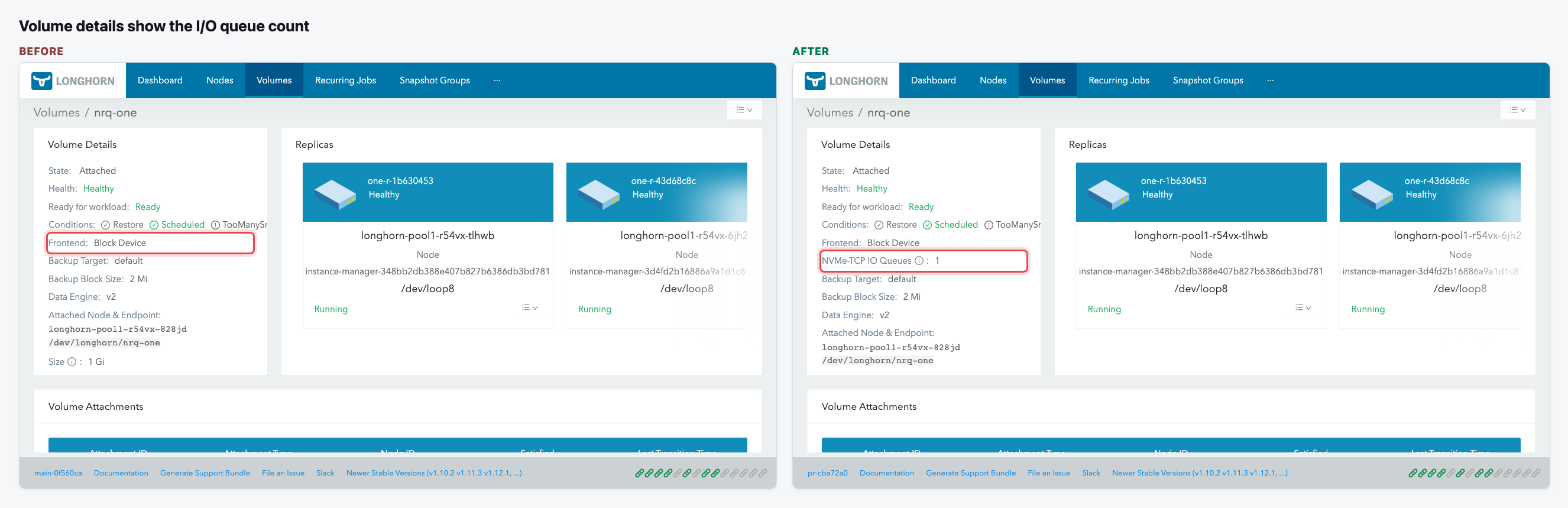
- The volume details page shows the value under Frontend.
- Clone Volume and Bulk Clone keep the value of the source volume.
The flow
A new field in Create Volume
Pick the v2 data engine with the Block Device frontend, and the queue field appears under Frontend, set to 0.
The help text explains the number
The tooltip gives the full name, the current global value, when the value applies, and the CPU limit.
Out-of-range values are rejected
Typing 200 shows "Must be between 0 and 128". When the field loses focus, the value is clamped.
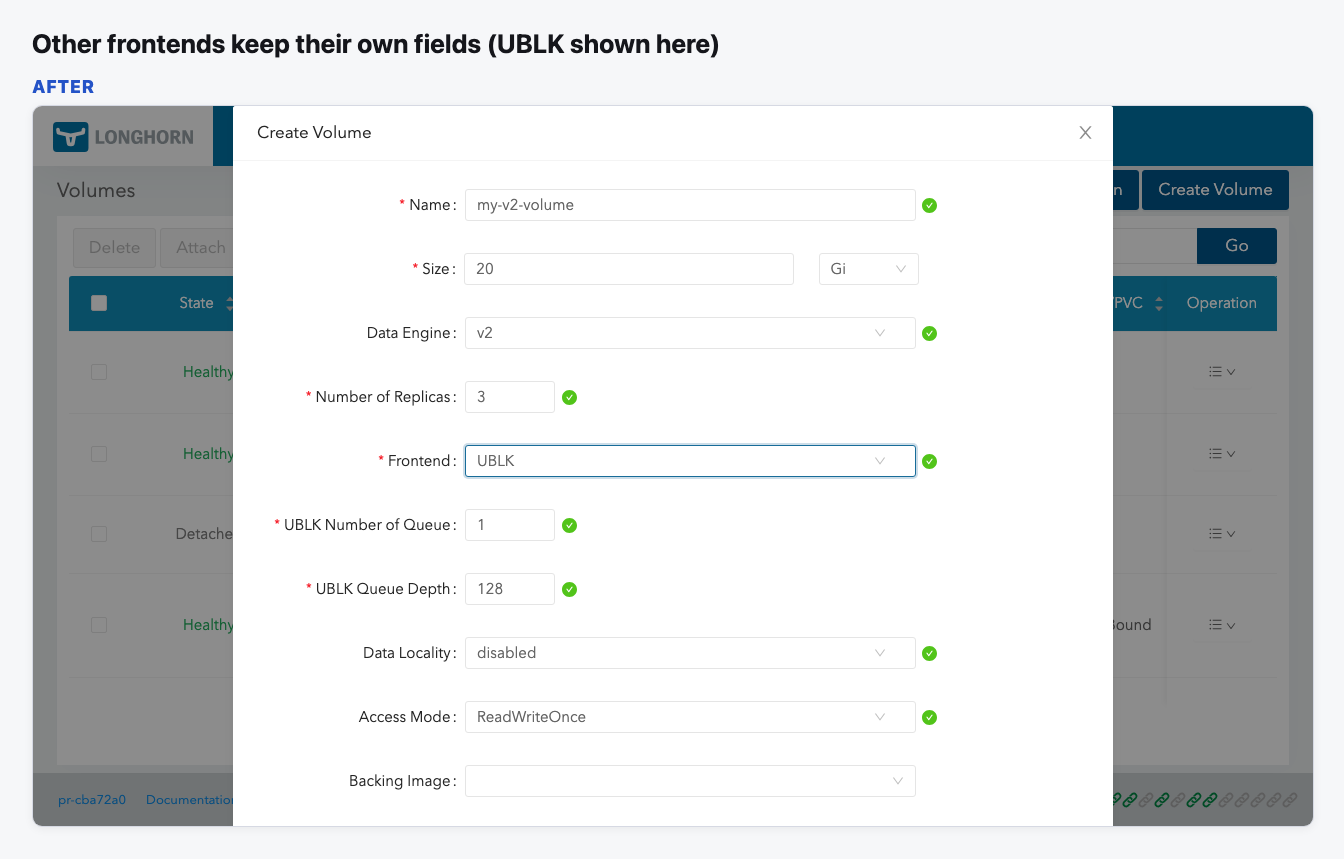
Other frontends don't show the field
UBLK keeps its own two queue fields, and v1 volumes and NVMf show neither.
Volume details show the value
A v2 Block Device volume now shows its queue count under Frontend, with an info icon that explains 0.
Video (optional)
0:00 Before · 0:15 After
Notes
- The count can only be set when the volume is created. The backend has no way to change it on an existing volume.
- Details show the configured value. A volume left at 0 shows 0, not the global value it ends up with.
- The global default is already on the Settings page, so that page did not change.